About SYSTEM-X for KLWP
SYSTEM-X (Live wallaper theme) APPS NEEDED!!! - Kustom live wallpaper pro version - Nova launcher (or similar) THEME DESCRIPTION: - 3 page set up - Nova launcher - Hide notification bar and app dock - Glob
SYSTEM-X (Live wallaper theme)
APPS NEEDED!!!
- Kustom live wallpaper pro version
- Nova launcher (or similar)
THEME DESCRIPTION:
- 3 page set up
- Nova launcher - Hide notification bar and app dock
- Global colors
- Screen hot spots for app control
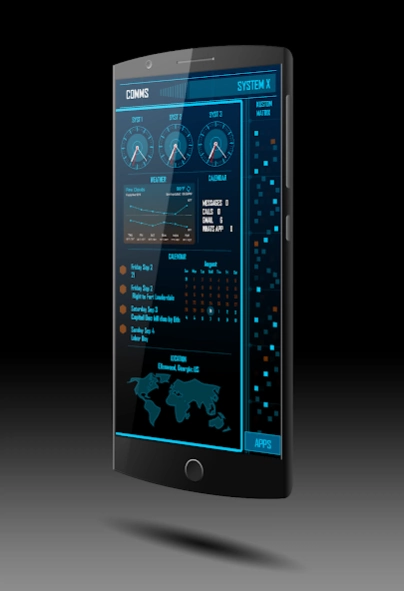
Screen 1 hot spots (Touch images for app action)
Clocks - opens clock app
Weather graph - opens Google news and weather app (Download in playstore)
Month calendar - opens calendar
World map - opens theme map module (touch triangle on map module to open google maps)
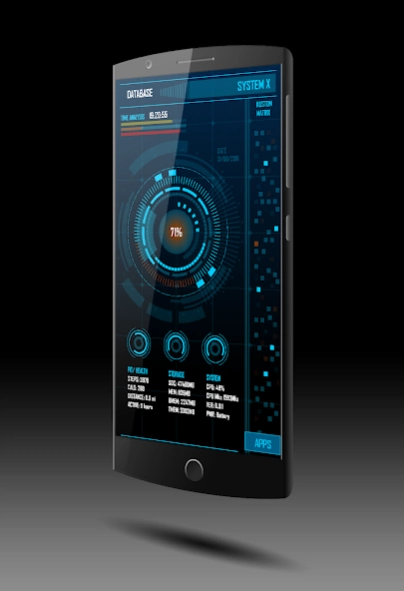
Screen 2 hot spots
Battery percentage - opens phone battery status
System rotator - opens settings
Storage rotator - opens app drawer
Fit/Health rotator - opens google fit (Download in playstore)
APPS square - opens theme main app module
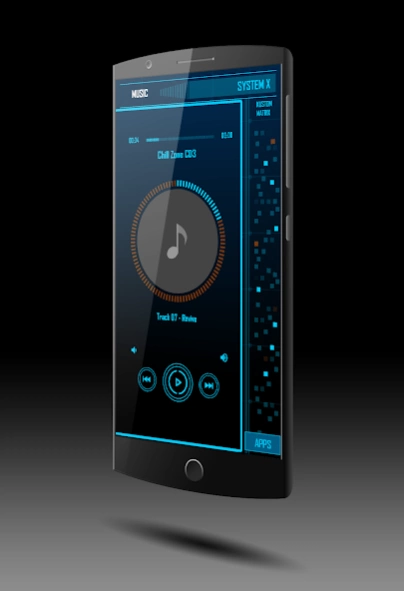
Screen 3
Music player
- Touch album cover to open music player info
- Music and volume buttons for music track player control
Previous Versions
Here you can find the changelog of SYSTEM-X for KLWP since it was posted on our website on 2016-10-30 18:59:20.
The latest version is 1.2 and it was updated on 2024-04-19 22:18:35. See below the changes in each version.
SYSTEM-X for KLWP version 1.2
Updated At: 2018-01-02
Changes: Version 1.2: New theme template (System C). Added System X theme template to support Galaxy S8+.
SYSTEM-X for KLWP version 1.1
Updated At: 2016-09-02
Disclaimer
Official Google Play Link
We do not host SYSTEM-X for KLWP on our servers. We did not scan it for viruses, adware, spyware or other type of malware. This app is hosted by Google and passed their terms and conditions to be listed there. We recommend caution when installing it.
The Google Play link for SYSTEM-X for KLWP is provided to you by apps112.com without any warranties, representations or guarantees of any kind, so access it at your own risk.
If you have questions regarding this particular app contact the publisher directly. For questions about the functionalities of apps112.com contact us.